Usage and revenue , joined by account.
You vibe the board.
A data warehouse for ChatGPT and Claude. Connect Stripe and your ads from the chat, and push usage events from your app by API, 50M a month for $319.
Connect +17 more
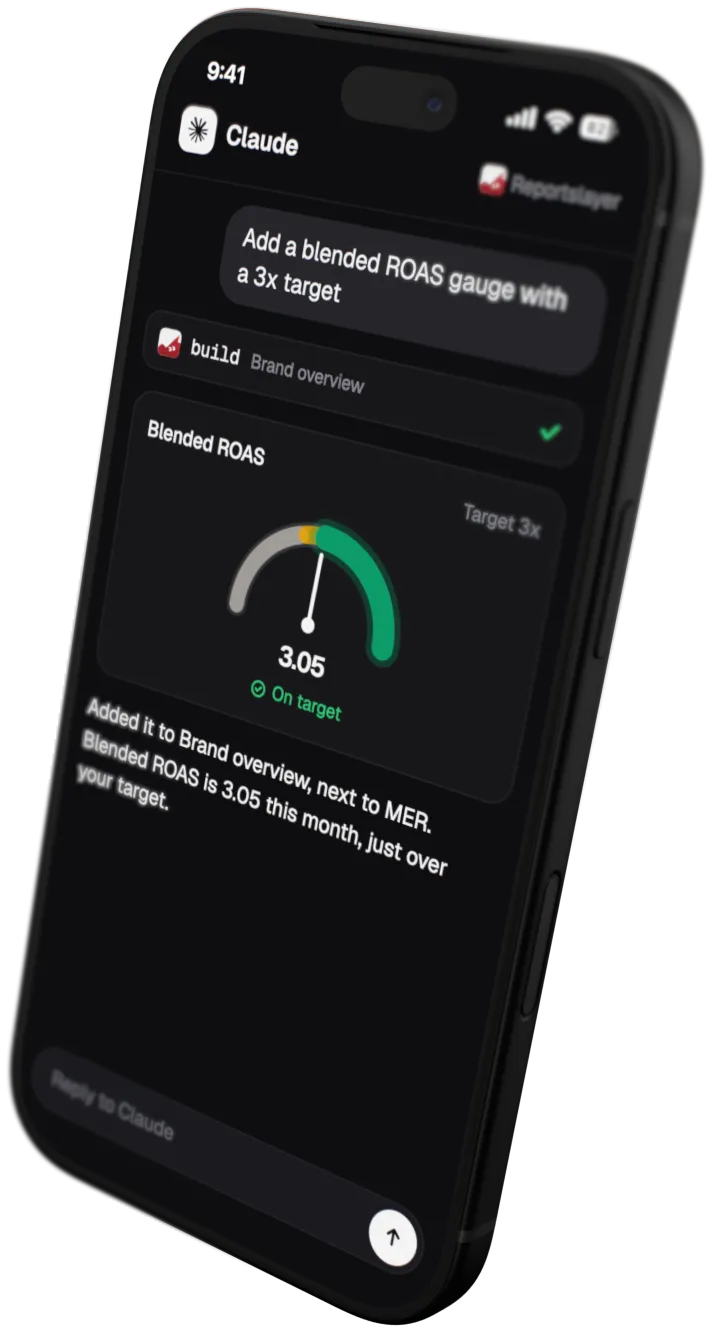
An assistant chat: asked for a dashboard with product usage next to MRR, it reads Stripe, the ad accounts and the pushed usage events through Reportslayer, builds the dashboard and draws it in the reply: four KPIs, MRR by day and MRR by plan. It expands to fullscreen, or opens in Reportslayer to change it by hand.

The same dashboard in edit mode in Reportslayer: an MRR churn gauge with a 1.5% target is selected with its settings open, and a net new MRR progress widget with its month-end pace is being dragged in.
The Rookwell dashboard in Reportslayer: a banner that seven paying accounts had no usage in the last 30 days, then MRR, paying customers, active accounts and usage events, MRR against usage events by day, MRR by plan, usage next to MRR for each plan, and feature adoption. Example data.
Stripe syncs itself, and your app pushes the rest
Stripe is a connector we already have: connect it and the Subscriptions dashboard, with MRR and how it moved, is built while your invoices sync.
Syncs every source into one warehouse
Each source backfills as far as its API allows, then syncs on a schedule. We handle rate limits and expired tokens. Connect a source and its first dashboard is built while the history loads.
15 starter dashboards, from profit and paid ads to subscriptions, support and cash.
Warehouse
- stripe_subscriptions Synced just now
- meta_ads_daily
- google_ads_daily
- cost_lines
Subscriptions Starter dashboard
- MRR $121,653
- Customers 152
- ARPA $800.35
Warehouse
- stripe_subscriptions
- meta_ads_daily Synced just now
- google_ads_daily
- cost_lines
Paid ads Starter dashboard
- Spend $41,200
- Clicks 52,810
- CPC $0.78
Warehouse
- stripe_subscriptions
- meta_ads_daily
- google_ads_daily Synced just now
- cost_lines
Paid ads Starter dashboard
- Spend $12,900
- Clicks 18,430
- CPC $0.70
Warehouse
- stripe_subscriptions
- meta_ads_daily
- google_ads_daily
- cost_lines Imported
-
Answers a year of data in one reply
Your assistant asks for a metric by name instead of writing its own SQL. Twelve months come back as twelve rows.
-
Lays out MRR movement by month
New MRR, expansion and churn run down the rows and months across, down to net new MRR, with last year beside them. Start from the MRR movement preset, or lay out a P&L the same way. Stripe's fees are one click away as a cost.
-
Hosts every dashboard on its own link
Your assistant places the widgets. The page gets its own link and keeps refreshing after you close the chat.
-
Keeps your numbers right
Platforms keep revising days that already passed: Google Ads credits a trial to a click from days earlier, and Stripe payments get refunded. Each sync picks those changes up and updates the days they touch.
The work happens in the chat
Connect a source, save a metric or move a widget by asking. The page outlives the chat.
-
Join usage to Stripe by account, and save events per dollar of MRR once, for every dashboard and reply.
-
Push usage events by API, 50M a month is $319 here, against $1,528.40 on PostHog and from $2,364.10 once they are tied to a user.
-
Drag it around, or ask, every setting on the grid also works from the chat, and asking a new question adds a widget.
-
Share with the team, one link with an optional password, and viewers pick their own dates and filters.
Prices from posthog.com/pricing (opens in a new tab) as checked on 13 Oct 2026. PostHog's first 1M events a month are free, and past that it bills per event. Events tied to a user bill on its identified-events ladder, and the figure shown for them is the least they cost. Keep funnels and session replay on PostHog.
A full BI tool, built in
15 widget kinds, from stat tiles to P&L statements. Compare periods, set monthly targets, and let viewers pick their own dates and filters.
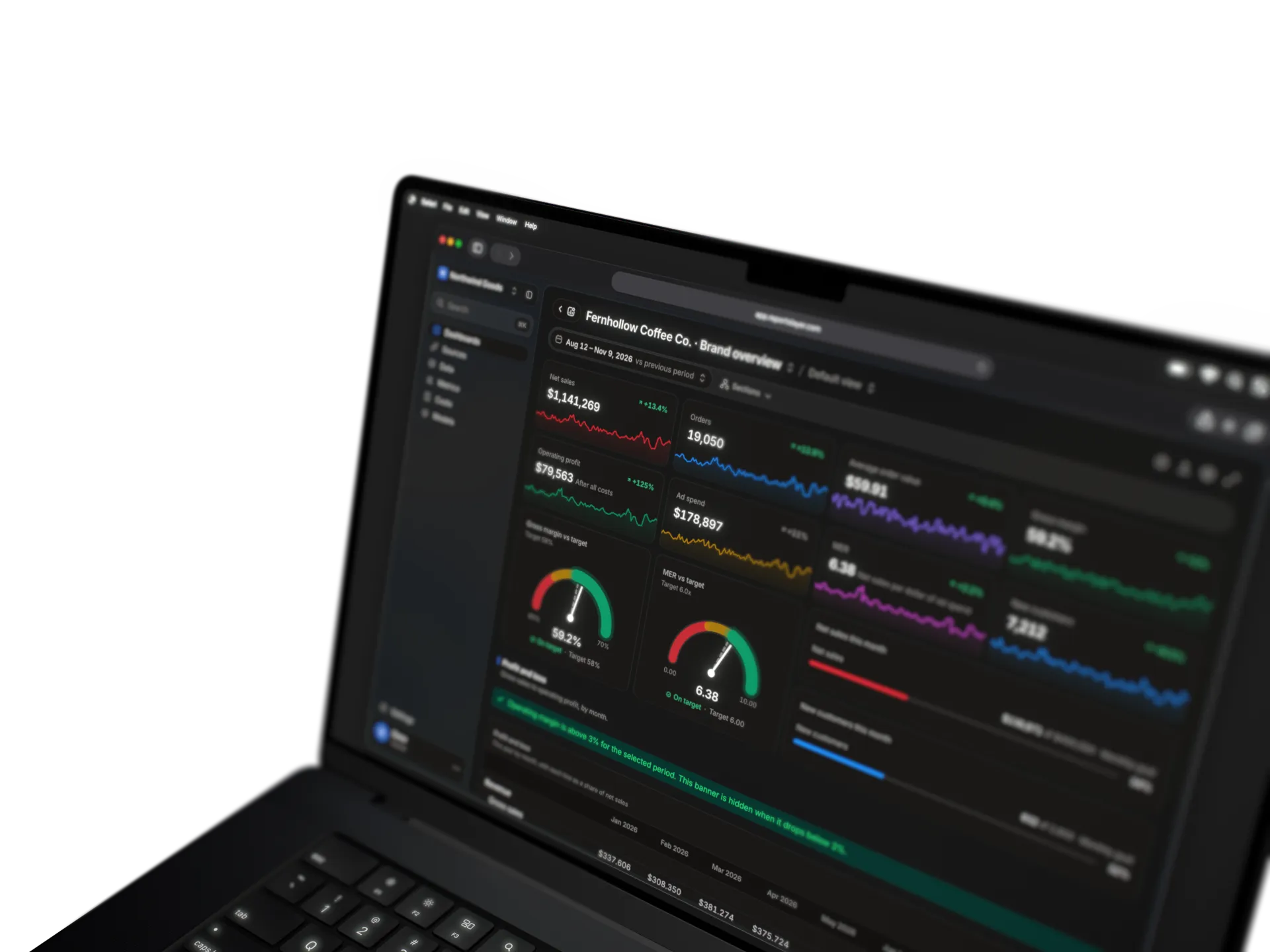
A copy of our Fernhollow Coffee Co. demo board, with sample data for a made-up brand: eight stats with their daily trend, two target gauges, two monthly goals and the start of a profit and loss statement by month.
A copy of our Rookwell demo board, with sample data for a made-up B2B SaaS company: five stats, MRR by month with the trend carried forward, MRR by plan, MRR movement by month and by quarter, a monthly goal, a target gauge and the top customers by MRR, then product usage: active accounts and users, usage events by week, feature adoption, and usage next to revenue by account.
A copy of our Ironvale Fleet demo client report, with sample data for a made-up fleet leasing company: the agency's notes, four monthly targets, five stats with their daily trend, daily leads against the previous period, cost per lead against its target, spend by platform, and tables of platforms and campaigns.
A copy of our Mosslight Apps demo board, with sample data for a made-up Shopify app studio: five stats with their daily trend, MRR by month with the trend carried forward, MRR by plan, MRR movement by month and by quarter, and the top shops by app revenue.
Show every widget and option Show fewer
-
Stat
One number with its trend and change.
-
Line
A metric over time, against the period before.
-
Bar
Categories compared, stacked or side by side.
-
Donut
Parts of a whole.
-
Gauge
A number against its target zones.
-
Statement
Metrics as rows and months as columns, like a P&L.
-
Progress
How far along each target is, with month-end pace.
-
Podium
The top three.
-
Table
Rows and columns.
-
Section
A title and a line of context.
-
Group
A card that keeps widgets together.
-
Text
Notes in plain words.
-
Banner
Info, success, warning or critical, shown on a condition.
-
Divider
A line between parts.
-
Spacer
Breathing room in the grid.
- Compare
- Previous periodPrevious year
- Time grain
- DayWeekMonthQuarterYearFiscalRetail 4-5-4
- Filters
- Any dimensionViewer-side filters and datesDrill by clicking
- Breakdown
- Split byTop NOther
- Targets
- MonthlyZonesMonth-end pace
- Colours
- PaletteShadesPer row
- Formats
- CurrencyPercentRatioDuration
Leave the dirty work to us
The plumbing a platform MCP doesn't have, run by us.
The stack you'd build around BigQuery, run by us.
SQL over tens of millions of raw events scans every row, every time.
Compare with
With Reportslayer
The platform MCPs on their own Your own BigQuery Vibe-coded by your assistant
-
You get your own warehouse.
Reportslayer
Synced rows sit in a warehouse we host, and every question you ask reads from there.
The platform MCPs on their own
Each call returns one answer, and nothing is kept once the reply is written.
-
Last quarter is never pulled again.
Reportslayer
The first sync pulls the longest history each API allows. After that we sync on a schedule, every hour on Pro and every 6 hours on Free.
The platform MCPs on their own
You get the rows that fit in one answer, and they are fetched again the next time you ask.
-
Your past numbers catch up by themselves.
Reportslayer
We re-read Meta's recent days every sync and update any that moved. A Shopify order edited or refunded is picked up next sync, however old it is.
The platform MCPs on their own
Last week's ROAS sits in a chat transcript, frozen at the moment you asked.
-
Spend and orders sit in one warehouse.
Reportslayer
We store each source in the same warehouse, by day, so Meta spend can be divided by Shopify orders in one question.
The platform MCPs on their own
Two tools return two shapes, lined up differently in each reply.
-
Your metrics mean one thing everywhere.
Reportslayer
You define contribution margin once. The dashboard widget and the assistant run that same definition.
The platform MCPs on their own
Contribution margin is defined in the prompt, so the next chat can define it differently.
-
Your days line up.
Reportslayer
Meta, Google and Commslayer days are moved onto your workspace's time zone, so Tuesday's spend divides Tuesday's orders.
The platform MCPs on their own
Days arrive as each platform counts them, and nothing lines them up for you.
-
Your assistant never sees a customer's email.
Reportslayer
Customer names and emails are masked by default and hidden from SQL and from your assistant. An owner can unmask them for people in the app.
The platform MCPs on their own
Whatever fields the platform returns land in the chat transcript.
-
One plan covers the whole stack.
Reportslayer
Connectors, warehouse, metric layer and dashboards come on one plan, and we keep them running.
Your own BigQuery
BigQuery is the warehouse. Connectors, a metric layer and dashboards are each bought or built, and someone keeps them running.
-
The build and upkeep are in the price.
Reportslayer
Free up to 10K events a month. Pro is $29 a month per workspace with 100K events, and the build and the upkeep are in the price.
Your own BigQuery
Google's own bill is close to $0 while your data is small, and it grows with what your queries read. The larger cost is the connector tool and the hours of whoever builds and maintains it.
-
Your past numbers catch up by themselves.
Reportslayer
A Shopify order edited or refunded is picked up next sync, however old it is. We re-read Meta's recent days at least once a day.
Your own BigQuery
A maintained connector re-reads changed orders too. A one-off export, or a pipeline nobody watches, keeps the numbers from the day it ran.
-
Your metrics mean one thing everywhere.
Reportslayer
You define contribution margin once. The dashboard widget and the assistant run that same definition.
Your own BigQuery
Only if someone builds a metric layer on top, for the dashboard and the assistant both.
-
Your assistant's queries stay fast.
Reportslayer
Your assistant asks for a metric and we answer it from data that's already summed up. It doesn't write its own query across millions of order rows and customer records.
Your own BigQuery
The assistant writes its own SQL against the raw tables. One clumsy query reads every row, and BigQuery bills for every row it reads.
-
Your dashboards get built in the chat.
Reportslayer
Ask for a dashboard and your assistant places the widgets, with no chart to configure by hand. Each dashboard lives on its own link.
Your own BigQuery
A separate tool, such as Data Studio, where someone builds each report on tables they modelled first.
-
Your own numbers sit beside the synced ones.
Reportslayer
Upload a CSV, link a Google Sheet or push rows, then join them to your synced data. A statement widget lays out the P&L.
Your own BigQuery
SQL joins anything. Someone loads the file, writes the join and keeps it working.
-
Your sources keep syncing by themselves.
Reportslayer
Every source is pulled on a schedule, with a backfill of history, token refreshes, rate limits and re-reads of recent days.
Vibe-coded by your assistant
A script that ran once, with no schedule, backfill or retry.
-
Your metrics mean one thing everywhere.
Reportslayer
ROAS is defined once, summed before it is divided, and the dashboards and the assistant both run that definition.
Vibe-coded by your assistant
Each prompt defines the metric its own way.
-
Your assistant's queries stay fast.
Reportslayer
Your assistant asks for a metric by name and we answer from stored totals, with limits on every query.
Vibe-coded by your assistant
SQL runs over raw rows with no stored totals or limits.
-
Your dashboards stay open after the chat.
Reportslayer
Each dashboard is a page on its own link that refreshes after every sync.
Vibe-coded by your assistant
The chart lives inside one chat.
-
It costs less than building your own.
Reportslayer
Free up to 10K events a month, then $29 a month per workspace, with the sync and its upkeep included.
Vibe-coded by your assistant
You pay in the hours to build and maintain it.

Frequently asked questions
Can't Claude just spin up a warehouse with one prompt?
It can create the tables and load a first batch. Problems start at tens of millions of events. SQL that an assistant writes against raw rows scans the whole table for every question, and it gets slower as the table grows. Reportslayer stores daily totals and keeps one definition per metric for both the dashboard and the assistant. It also puts a limit on every query. That costs $29 a month per workspace, or $319 at 50M events a month, which is less than a day of an engineer's time.
We already have PostHog. Why send events here?
Send the events that only count active accounts and usage, so they sit next to revenue. Pushed in by API, they join Stripe data by account. Keep PostHog for funnels, session replay and paths through the product, which we don't do. At 50M events a month, the cost here is $319. PostHog's price list puts the same events at $1,528.40, and from $2,364.10 once they are tied to a user.
Our data person already has a dbt project. Is this for us?
Keep the dbt project. A team with a data person has models, tests and a warehouse they trust, and Reportslayer doesn't replace them. It is built for teams without that person, where mistakes like ROAS averaged by day are hard to spot on a chart. Reportslayer gives them the sync engine, the metric definitions and the dashboards for $29 a month per workspace, with Free up to 10K events a month.
What if I go past 100K on Pro?
Syncing keeps going, and you pay for the extra events. Extra events are $5 per 100K, then $5 per million past 1M. For example, a month with 2M events costs $29 + 9 × $5 + 1 × $5 = $79. You can set a spend limit, and the bill won't go above it.
Is my data safe?
Your data is stored in our own warehouse. We sync every source into it and run every query there. That is also why dashboards and share links work when no assistant is open.
Do I have to pay to try it?
No. Every new account starts with a 14-day Pro trial, with full history and syncs every hour. When the trial ends, you move to Free. Nothing is billed unless you choose to pay.
Do I need a paid ChatGPT or Claude plan?
It depends on your assistant's plan. Some ChatGPT and Claude plans limit plugins and custom MCP servers, so check what yours includes. Reportslayer doesn't charge for the assistant side. You can also build dashboards by drag and drop and share them by link without any assistant.

Connect Stripe and look at your MRR
Connect Stripe and any other tool with an API from the chat, push a usage table from your app, and ask for the board.
- Free plan with every feature
- 10K events a month on Free
- Unlimited seats, viewers and dashboards
- Pro is month to month